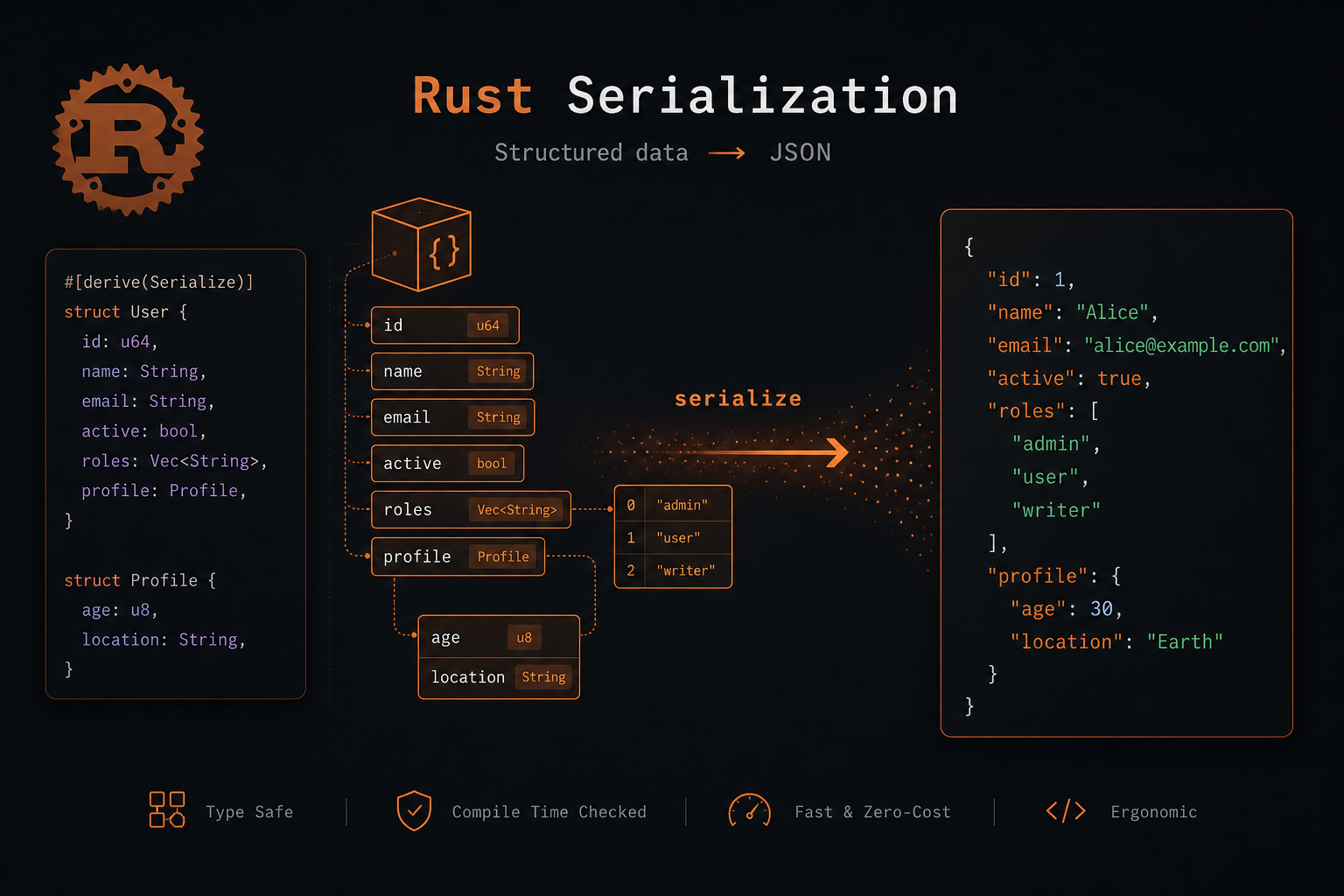
What Is Serialization, Really?
Serialization means converting a data structure (a struct, an enum, a Vec) into a format you can store or send somewhere else. Deserialization is the reverse — turning that stored data back into a Rust value.
If you've ever written JSON.stringify() in JavaScript or pickle.dump() in Python, you already know the concept. In Rust, it's just more explicit and type-safe.
Why You Reach for Serde
Most Rust projects use the serde ecosystem. Serde is a framework — it defines the Serialize and Deserialize traits, and then separate crates like serde_json, serde_yaml, toml, or bincode handle the actual format.
The key insight: Serde separates your data from the format. Your struct defines what the data looks like. The format crate defines how it's written. You can add JSON today and switch to MessagePack tomorrow without touching your struct.
Your First Serialization
1. Add the dependencies
cargo add serde --features derive
cargo add serde_json
The derive feature gives you #[derive(Serialize, Deserialize)]. serde_json handles the JSON format.
2. Define your struct
use serde::{Serialize, Deserialize};

#[derive(Serialize, Deserialize, Debug)]
struct User {
    id: u32,
    name: String,
    email: String,
    active: bool,
}
3. Serialize to JSON
fn main() {
    let user = User {
        id: 1,
        name: "Binh".to_string(),
        email: "binh@example.com".to_string(),
        active: true,
    };

    let json = serde_json::to_string_pretty(&user).unwrap();
    println!("{}", json);
}
Output:
{
  "id": 1,
  "name": "Binh",
  "email": "binh@example.com",
  "active": true
}
4. Deserialize from JSON
fn main() {
    let data = r#"
        {
            "id": 1,
            "name": "Binh",
            "email": "binh@example.com",
            "active": true
        }
    "#;

    let user: User = serde_json::from_str(data).unwrap();
    println!("{:?}", user);
}
That's it. One derive macro and your struct speaks JSON.
Real-World Patterns You'll Actually Use
Renaming fields for convention mismatch
Rust uses snake_case. Your API probably uses camelCase. Serde handles this trivially:
#[derive(Serialize, Deserialize)]
#[serde(rename_all = "camelCase")]
struct ApiResponse {
    user_id: u32,
    full_name: String,
    created_at: String,
}
This serializes to {"userId": 1, "fullName": "...", "createdAt": "..."}.
Skipping fields
#[derive(Serialize)]
struct Session {
    id: u32,
    #[serde(skip_serializing)]
    secret_token: String,  // never written to output
    #[serde(skip_serializing_if = "Option::is_none")]
    nickname: Option<String>,  // omitted if None
}
Default values for missing fields
#[derive(Deserialize)]
struct Config {
    #[serde(default = "default_host")]
    host: String,
    #[serde(default = "default_port")]
    port: u16,
}

fn default_host() -> String { "localhost".to_string() }
fn default_port() -> u16 { 8080 }
Now if the incoming JSON omits host or port, your code still works with sensible defaults. No more unwrap_or boilerplate everywhere.
Flattening nested objects
#[derive(Serialize, Deserialize)]
struct Pagination {
    page: u32,
    total: u32,
}

#[derive(Serialize, Deserialize)]
#[serde(rename_all = "camelCase")]
struct ProductsResponse {
    items: Vec<String>,
    #[serde(flatten)]
    pagination: Pagination,
}
This outputs a flat JSON instead of nesting pagination inside a sub-object — common in real APIs.
Deserialize from files (the practical one)
You'll do this constantly in CLI tools and config loaders:
use std::fs;

#[derive(Deserialize, Debug)]
struct Config {
    database_url: String,
    port: u16,
    log_level: String,
}

fn load_config(path: &str) -> Result<Config, Box<dyn std::error::Error>> {
    let content = fs::read_to_string(path)?;
    let config: Config = toml::from_str(&content)?;
    Ok(config)
}
This reads a config.toml file and maps it directly to your Rust struct. If a field is missing or the type doesn't match, you get a clean error — not a silent null.
Handling Errors Properly
unwrap() is fine for examples. In real code, handle deserialization errors:
use serde_json::Error;

fn parse_user(data: &str) -> Result<User, Error> {
    serde_json::from_str(data)
}
Serde errors tell you exactly what went wrong — the line, the field, and the expected type:
Error: missing field `name` at line 3 column 1That saves hours of debugging compared to loosely-typed languages.
Beyond JSON
This is where serde's design really shines. The same struct works with any format:
| Format | Crate | Use case |
|---|---|---|
| JSON | serde_json | APIs, config files |
| TOML | toml | Cargo.toml-style config |
| YAML | serde_yaml | Kubernetes, CI configs |
| MessagePack | rmp-serde | Compact binary, faster than JSON |
| Bincode | bincode | Internal storage, zero-copy possible |
| CSV | csv | Data export, spreadsheets |
Swap the function call, nothing else changes:
let toml = toml::to_string(&user)?;
let yaml = serde_yaml::to_string(&user)?;
let msgpack = rmp_serde::to_vec(&user)?;
The Bottom Line
Serde is the standard for a reason. #[derive(Serialize, Deserialize)] is one of the most powerful annotations in Rust — it turns any struct into a portable, format-agnostic data carrier with zero boilerplate.
Once you internalize the patterns — rename_all, skip_serializing_if, flatten, default — you'll write cleaner, safer I/O code than in almost any other language.
And the next time someone asks "how do I save my struct to a file?", you already know the answer.